Klyko vs OneTab: Why Tab Hoarders Are Moving to Local-First Workspaces
· 6 min read
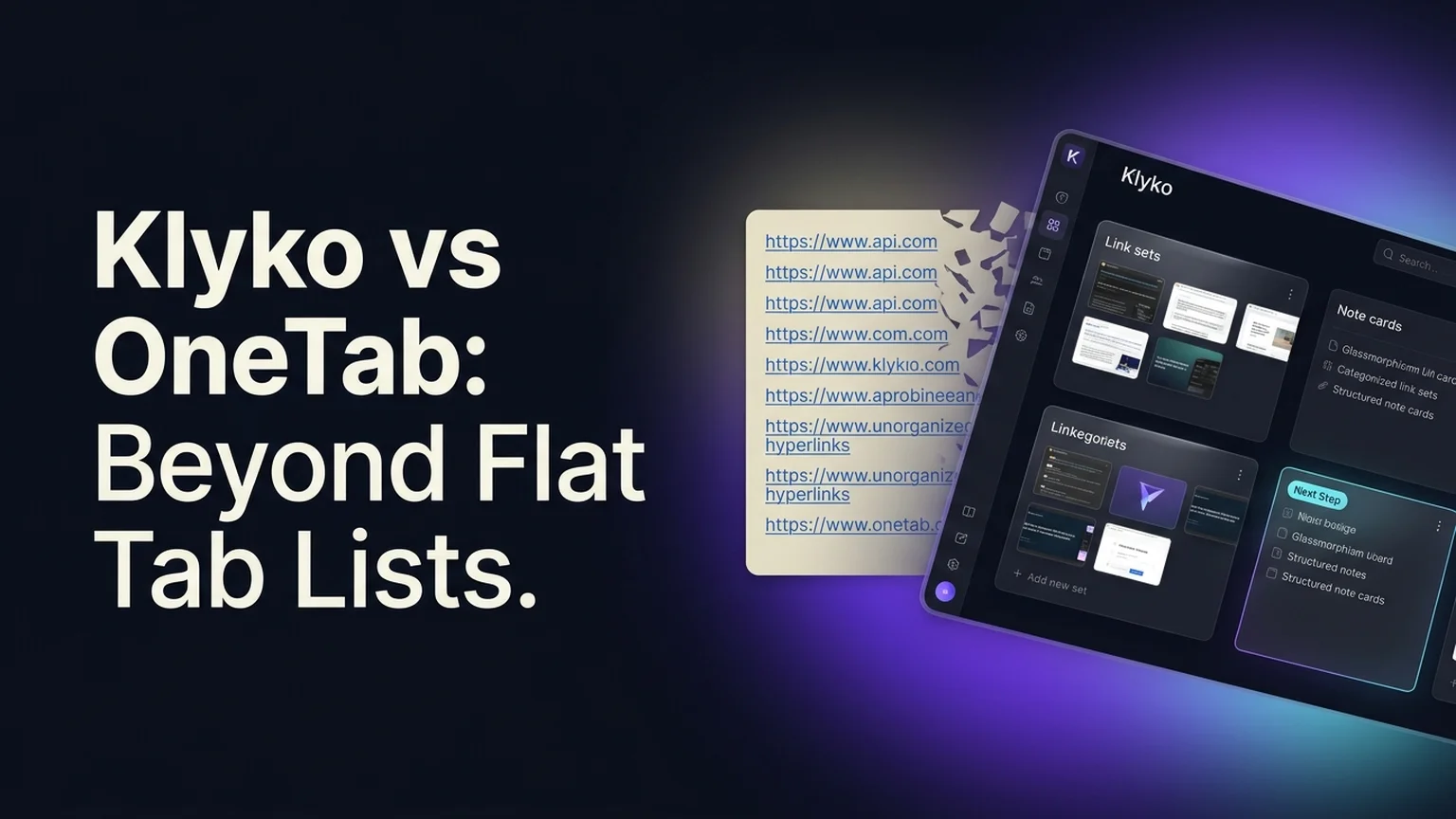
For more than a decade, OneTab has been the default reflex for Chrome and Firefox users suffering from acute browser tab overload. With a single click on its funnel icon, 40 open tabs vanish into a vertical list of blue text links, instantly freeing up your computer's memory.
Yet as workflows transitioned from simple web surfing to complex, multidisciplinary web projects (Figma, GitHub, Linear, Google Docs, Notion), OneTab's simplicity transformed from an asset into a severe liability. Power users routinely face two painful problems:
- The flat list graveyard: Dumping 300 tabs into an unsearchable chronological list simply hides the chaos rather than solving it.
- Catastrophic data loss: Because OneTab relies on basic browser
localStorage, a routine cache clear or browser update can permanently wipe months of research with zero warning.
If you are evaluating alternatives to OneTab, here is an objective, in-depth comparison of Klyko and OneTab, examining their architecture, data safety, workflow capabilities, and daily usability.
Quick summary: Klyko vs OneTab at a glance
| Capability | OneTab | Klyko |
|---|---|---|
| Core Philosophy | Emergency tab dump into a flat text list | Structured project workspaces (links + notes + next action) |
| Storage Architecture | Volatile localStorage (vulnerable to browser cache purges) | Resilient IndexedDB via Dexie (transactional local database) |
| Data Loss Resilience | Low (frequent reports of lost tabs after browser updates) | High (ACID transactions, persistent offline storage, full export) |
| Reopening Mechanism | All-or-nothing (restores entire tab group or single URL) | Selective link sets (open only the 3–4 tabs needed for a task) |
| Context Preservation | URLs and page titles only | Links, rich notes, task checklists, and next step cards |
| Offline Availability | Yes (local extension page) | Yes (100% local-first, works offline, no account required) |
| External Sharing | Generates public web page URLs | Secure tokenized share links with custom permissions |
| Price | Free | Free to start, local-first offline workspace |
1. Storage safety: why OneTab loses data
The number one complaint in OneTab's web store reviews is sudden, unrecoverable data loss. Understanding why this happens requires looking at how browser storage works:
- The
localStoragepitfall: OneTab stores saved tabs inwindow.localStorage. When users run cleaning utilities (like CCleaner) or click "Clear cookies and site data" in Chrome settings, the browser often deletes extension local storage. If that happens, OneTab's database is wiped instantly. - Sync failures and crash vulnerability: Writes to
localStorageare synchronous. If your browser crashes or your computer loses power while OneTab is compressing a large batch of tabs, the stored JSON string can corrupt, making all links unreadable.
How Klyko solves this:
Klyko does not use localStorage. It is engineered as a true local-first application built on IndexedDB—the browser's industrial-grade transactional storage engine.
Writes are atomic and transactional, meaning data is never left in a half-written or corrupted state. Furthermore, Klyko includes one-click JSON backup and restore capabilities, ensuring your project assets remain permanently safe on your machine.
2. Flat lists vs. structured project workspaces
OneTab operates on a single primitive: the URL list.
When you send 30 tabs to OneTab, they are saved as a vertical stack of links organized solely by the timestamp of when you clicked the button. A week later, you have fifteen separate groups labeled "32 tabs - 24/10/2026". Finding the specific client brief or bug tracker requires scanning through hundreds of raw titles.
How Klyko approaches project work: In Klyko, you do not dump tabs into an undifferentiated bin. You organize resources into Workspaces (e.g., "Client A Redesign", "Q4 Tax Prep", "Bug Bounty Research"):
- Task-based link sets: Group links by what they are used for (e.g., "Drafting Set", "Review Set", "Documentation").
- Notes beside the sources: Add context explaining decisions, credentials, or meeting takeaways right next to the links.
- Active checklists: Keep pending to-dos directly visible alongside the relevant resources.
- The Next Step card: Record the single next action to take so you can resume work instantly without morning hesitation.
For more on organizing multi-faceted projects, read our step-by-step guide on how to organize project links, notes, and tabs in one place.
3. Reopening tabs: selective link sets vs. all-or-nothing
When you want to restore tabs from OneTab, you have two choices: click individual links one by one, or click "Restore all".
Clicking "Restore all" launches 25 or 30 tabs simultaneously. Your browser freezes, your laptop fan spins up, and you are immediately thrown back into the exact same tab overload you tried to escape.
Klyko's selective reopening: Klyko encourages task-based link sets. If a project workspace contains 15 saved resources, you don't need all 15 open at once. You can click a dedicated set—such as "Staging & Figma"—and launch only the three tabs needed for your immediate deliverable.
This keeps your browser lightweight and saves gigabytes of RAM while keeping the remaining project links safely stored. For a technical breakdown of RAM management, review our guide on how to reduce Chrome memory usage without losing open tabs.
How to migrate from OneTab to Klyko in 3 minutes
If you currently have hundreds of tabs saved in OneTab and want to migrate them into durable Klyko workspaces, follow these steps:
- Open your OneTab list and click Export / Import URLs in the top right corner.
- Copy the text list of URLs from OneTab's export field.
- Open Klyko and create a workspace for your project.
- Paste the links into your workspace. Klyko automatically resolves page metadata and groups them cleanly.
- Add a brief note and your next action, and enjoy durable, private project organization.
Frequently asked questions
Can Klyko reduce Chrome RAM usage as effectively as OneTab?
Yes. Just like OneTab, saving your open tabs into Klyko and closing their browser windows completely frees up all system RAM and CPU overhead used by those web pages.
Does Klyko require an internet connection or account login?
No. Klyko is 100% local-first by default. Your workspaces, links, notes, and checklists are stored locally in your browser's IndexedDB. You can create workspaces, add items, and organize projects completely offline without creating an account.
Why is IndexedDB safer than localStorage for saving tabs?
localStorage has a small 5 MB storage limit, is synchronous, and gets cleared whenever you wipe browser cookies or website cache. IndexedDB has gigabytes of storage, supports atomic transactions, and persists through standard cache cleanup operations.
Is Klyko free to use?
Yes. Klyko's core local-first workspace features are free to use. You can get started right now at klyko.app without downloading heavy software or entering payment details.
Save your work context. Reopen it anywhere. No account required to create your first board.
Try Klyko Free