Why Tab Managers Fail (and Why OneTab Lost Your Data)
· 5 min read
If you search the Chrome Web Store or Reddit for popular tab managers, you will discover a recurring tragedy repeated across thousands of one-star reviews:
"I used this extension for two years. Yesterday Chrome updated, and all 400 of my saved tabs vanished into thin air. Months of research gone."
This is not a fluke. It is the predictable outcome of an architectural and conceptual mistake that has plagued browser productivity tools for over a decade.
Tab managers promised to solve our tab hoarding anxiety. Instead, they built fragile link dumpsters, locked user bookmarks behind aggressive monthly subscription paywalls, or quietly uploaded users' private browsing history to centralized cloud servers.
To understand why traditional tab managers fail, we have to look past the marketing promises and inspect both the technical flaws under the hood and the psychological reality of how humans actually work.
1. The LocalStorage volatility trap
Many legacy tab managers (such as classic versions of OneTab) rely on a browser API called window.localStorage to store your saved links.
localStorage was never intended to serve as a durable, long-term database for critical user assets:
- Browser cache clears: When a user selects "Clear browsing data and cookies" to fix a misbehaving website, many browsers quietly purge extension
localStoragedata along with site cookies. - Storage quotas:
localStoragehas a strict storage ceiling (usually 5 MB to 10 MB per origin). Once you accumulate a few hundred tabs with lengthy URLs and page titles, writes fail silently. - Single-point corruption: Because
localStorageis synchronous and lacks proper transaction locking, a sudden browser crash or force-quit during a write operation can corrupt the entire JSON string, leaving your data completely unrecoverable.
If an extension does not store your links in an ACID-compliant transactional database like IndexedDB with proper export and backup capabilities, your saved tabs are living on borrowed time.
2. The flat list illusion: trading one mess for another
Even when a tab manager does not lose your data, it almost always fails to solve your clutter problem.
Consider what happens when you press a generic "Save all tabs" button. The extension collapses your 35 open browser tabs into a single vertical list of blue text links. In that moment, you feel a brief rush of dopamine: your tab strip is clean!
But what happens next Tuesday when you need to resume that work?
You open the tab manager and stare at a monolithic wall of 150 undifferentiated URLs. You have no idea which document was the current draft, which link was an outdated reference, which tab contained the client's instructions, or what task you were supposed to perform next.
A flat list of URLs is not a project context. It is an unsearchable digital junkyard. By removing the visual cues of your browser without providing any structure, traditional tab managers simply hide the mess instead of organizing it.
3. The cloud lock-in and privacy problem
When modern tab managers realized that local storage was fragile, they swung to the opposite extreme: mandatory cloud synchronization.
Tools like Workona, Toby, and others moved user tabs into centralized cloud databases, accompanied by predictable consequences:
- Monthly subscription fees: Features as basic as organizing links into folders or syncing across two computers became locked behind recurring $8 to $12 monthly subscriptions.
- Data privacy concerns: Your open tabs contain sensitive corporate documents, staging URLs with secret tokens, private Jira tickets, and financial spreadsheets. Storing those URLs on external company servers exposes your daily work to third-party data breaches.
- Internet dependency: If your internet drops during a flight or your Wi-Fi falters in a cafe, you cannot access your workspaces or saved links because the cloud app fails to load.
What a real solution looks like: durable work contexts
The mistake made by first-generation tab managers was treating tabs as items to be collected, rather than contexts to be resumed.
When you stop working on a project, you don't merely need the raw URLs. You need four interconnected pieces of information:
- Curated links: Not every open tab matters. You need the 3 to 5 critical resources for that specific project stage.
- Context notes: Short notes explaining why a decision was made or what constraints apply.
- Checklists: Visible, actionable checkboxes showing what is done and what remains open.
- The next action: The single concrete step you will take the moment you sit down to resume the project.
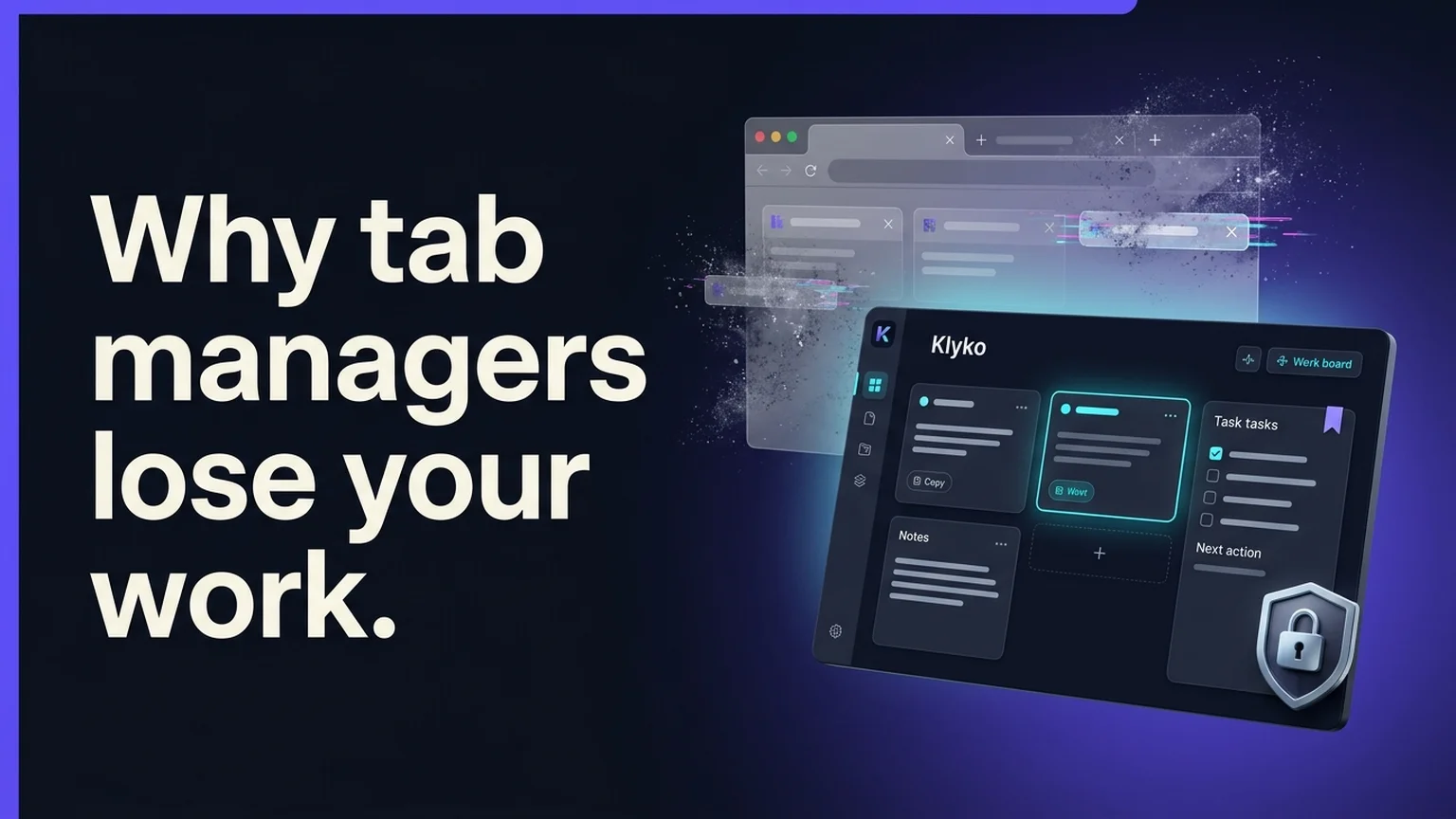
This is the philosophy behind Klyko.
Instead of dumping tabs into a bottomless text list, Klyko helps you group resources into dedicated, structured workspaces. Within each workspace, you keep links, notes, and checklists together side by side.
Built local-first for absolute data permanence
Because we believe your work data belongs to you, Klyko is engineered from the ground up as local-first software:
- IndexedDB architecture: Workspaces are stored directly in your browser's robust IndexedDB engine via Dexie, supporting large datasets, structured indexes, and atomic transactions.
- Offline by default: Klyko works entirely without an internet connection and requires no account creation to start. Your links and notes never touch a remote server unless you deliberately configure cloud sync.
- Selective link reopening: Instead of reopening 40 tabs and crashing your computer's RAM, Klyko lets you organize links into task-based sets and launch only the exact resources needed for your next sprint.
For a deeper dive into the architectural principles behind this approach, read what 'local-first' actually means and why it matters to your work.
The takeaway
Tab managers fail when they treat your browser tabs like an emergency laundry hamper—a place to chuck clutter so your screen looks clean for five minutes.
Real productivity doesn't come from hoarding 500 links you will never click again. It comes from having the discipline to save the few resources that matter, recording your next step, and keeping your workspace durable, private, and fast.
If you are tired of losing tabs to extension crashes or paying monthly subscriptions for basic link management, try Klyko today. It is free, private, and ready to use in your browser right now.
Save your work context. Reopen it anywhere. No account required to create your first board.
Try Klyko Free