Arc Browser Alternatives: Best Options for Spaces, Pinned Tabs, and Project Context
· 6 min read
When The Browser Company introduced Arc, it revolutionized how tech workers, designers, and researchers organized their online lives. Instead of an unmanageable horizontal strip of hundreds of micro-tabs, Arc offered Spaces, vertical pinned tabs, split views, and scratchpads. It was not just a web browser; it was a curated workspace.
However, the reality of proprietary browser development has caught up: Arc has officially entered its sunset phase, with active development halted, new account registrations disabled, and account deactivation scheduled.
For millions of loyal users, this announcement came as a shock. But it also surfaced a fundamental architectural flaw: locking your entire productivity workflow into a single, proprietary browser creates an unacceptable single point of failure.
If you are looking for the best Arc Browser alternatives in 2026, this guide analyzes where to migrate your Spaces, how to avoid repeating the vendor lock-in trap, and why decoupled, local-first workspaces beat switching to yet another experimental browser.
Summary comparison: Arc Browser alternatives at a glance
| Solution | Spaces / Projects | Browser Freedom | Offline Resilience | Context (Notes & Tasks) | Lock-in Risk |
|---|---|---|---|---|---|
| Klyko | Dedicated boards with task link sets | Universal (Chrome, Brave, Firefox, Edge) | 100% Local-first (IndexedDB) | Rich Markdown notes, checklists, tables & next steps | None (open JSON export) |
| Dia | AI-native conversational workspaces | Chromium fork only | Cloud-dependent | AI chat summaries & prompts | High (new proprietary ecosystem) |
| Zen / Sigma | Vertical spaces & split tabs | Standalone browser fork | Local browser storage | Tabs only (no built-in notes/tasks) | Medium (dependent on small open-source core) |
| Vertical Tab Extensions (e.g. Leap, Side Space) | Sidebar groups & spaces | Chrome only | Extension storage | Tab links only | Low (standard browser extension) |
| Traditional Tab Managers (e.g. OneTab) | Raw text dumps | Any browser with extension | Local extension storage | None (flat URLs) | Low |
The real lesson of the Arc shutdown: The "Browser Trap"
Before jumping into the alternatives, it is crucial to diagnose why Arc's sunset is so painful.
Most people did not fall in love with Arc because of its rendering engine (which was simply standard Chromium under the hood). They fell in love with Spaces:
- A Work space for Jira, GitHub, Figma, and staging environments.
- A Personal space for banking, travel planning, and recipes.
- A Research space for comparing vendor APIs and reading documentation.
When all those spaces, pinned links, and scratchpads live directly inside the browser application, your entire work context is hostage to that company's commercial viability. If the company pivots, raises subscription prices, or discontinues the app, your daily operating system collapses.
The modern solution to this dilemma is separation of concerns:
Use the fastest, most secure browser of your choice (Brave for privacy, Chrome for enterprise compatibility, Firefox for independence) and keep your project context in an unkillable, local-first workspace manager.
Evaluating the top Arc alternatives
1. Klyko: The local-first alternative for true Spaces
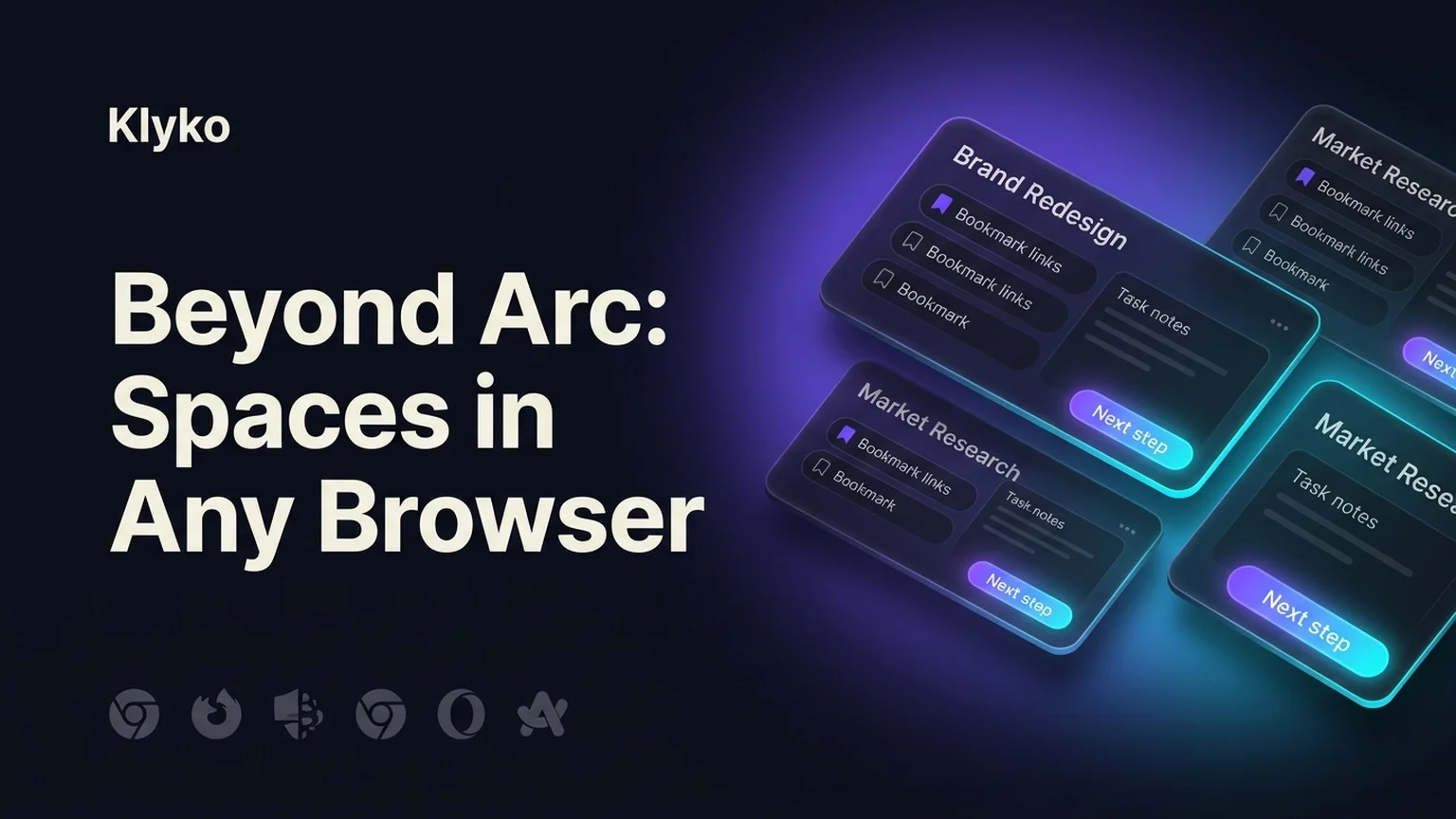
If what you miss most about Arc is having distinct, distraction-free Spaces that combine links, working notes, and your next actions, Klyko is designed specifically to fill this void without locking you into a niche browser.
Unlike Arc, Klyko is not a custom web browser. It is a decoupled, local-first project workspace that connects to Chrome, Brave, Edge, or Firefox:
- Dedicated Project Boards: Replace Arc Spaces with visual boards for each client, feature, or research initiative.
- Task-Based Link Sets: Instead of keeping 40 tabs permanently pinned and eating gigabytes of RAM, save them into intentional link sets that open in one click when you start that task.
- Embedded Notes, Checklists & Tables: Arc Easels and Notes were beloved but rudimentary. Klyko provides full Markdown notes, spreadsheet table pasting (
Ctrl+V), and task checklists directly beside your saved resources. - Zero Cloud Lock-in: Data resides in your browser's local IndexedDB. It works completely offline, never tracks your URLs, and cannot be deprecated by a server shutdown.
2. Dia: The Browser Company's AI successor
For users who want to stay within The Browser Company’s ecosystem, Dia is their official successor to Arc.
- The Concept: Dia strips away some of Arc’s more complex UI experimentalism in favor of an AI-native conversational browser. It emphasizes natural language command bars and automated browsing assistance.
- The Trade-offs: Dia remains a closed, proprietary browser. Furthermore, if you value privacy or work in corporate environments with strict data governance, routing web interactions through proprietary cloud AI models may violate security compliance policies.
3. Zen Browser & SigmaOS: Standalone vertical browsers
For users who refuse to use horizontal tab bars and insist on a full browser application with vertical tabs:
- Zen Browser: A rapidly growing open-source browser built on Firefox. It replicates Arc-style vertical tabs, compact mode, split views, and customizable sidebars without telemetry.
- SigmaOS: A macOS-first browser built around keyboard shortcuts and workspaces ("tagging" tabs as to-dos).
- The Trade-offs: Both require committing your entire web browsing activity to a boutique browser team. Extension compatibility (especially on Firefox forks) can occasionally lag behind Chromium standards.
4. Chrome Side Panel Extensions (Leap, Side Space)
If you prefer to stay in standard Google Chrome but want Arc's sidebar ergonomics:
- How they work: Leveraging Chrome's native Side Panel API, these extensions introduce vertical tab trees, collapsible group spaces, and multi-profile switching inside standard Chrome.
- The Trade-offs: While great for navigation, they only manage tabs. When you finish a browsing session, they do not preserve notes, project decisions, or task checklists.
How to migrate your tabs and bookmarks out of Arc
If you are currently running Arc and preparing for the shutdown, follow these steps to secure your data:
- Export your bookmarks: Open Arc settings, navigate to Data & Sync, and export your HTML bookmark file.
- Audit your Spaces: Review each Space in Arc. You will likely find that 70% of your "pinned" tabs are stale references you haven't opened in weeks.
- Organize by Project: Rather than importing a messy 500-link bookmark folder into Chrome, create clean project boards in Klyko for your active responsibilities.
- Pair with your daily browser: Set Chrome, Brave, or Firefox as your default browser and keep your Klyko board open in a pinned tab or second monitor.
Frequently asked questions
What happened to Arc Browser?
The Browser Company announced in October 2026 that Arc will be sunsetted on December 22, 2026, with active development halted in favor of Dia, their new AI-native browser concept. Existing Arc accounts will be deactivated, requiring users to migrate their bookmarks and saved tabs.
Can I get Arc-like Spaces in Google Chrome?
Yes. You can organize tabs into distinct project spaces using Klyko, which provides project boards with saved link sets, notes, and checklists that integrate with Chrome, Brave, Edge, and other browsers without replacing your browser engine.
Why should I avoid switching to another proprietary browser?
Every custom browser poses a vendor lock-in risk. If the developing startup shuts down, changes pricing, or abandons the platform, your saved workspaces and workflows are disrupted. Storing your project spaces in a local-first workspace manager ensures your data remains accessible regardless of which browser you use.
Does Klyko work offline like Arc did?
Yes. Klyko is built on a local-first architecture using IndexedDB in your browser. All your project boards, links, notes, and tables remain fully accessible and editable even without an active internet connection.
Save your work context. Reopen it anywhere. No account required to create your first board.
Try Klyko Free