Why Switching Between Projects Costs You More Than You Think
· 3 min read
You close your laptop on Friday in the middle of a feature. Monday morning you open it back up and stare at the screen for a solid five minutes trying to remember: which branch was I on, which three tabs actually mattered, what was the "next step" I told myself I'd remember without writing down.
That gap has a name — the resumption lag — and it's bigger than most people assume.
The 23-minute number you've probably heard
A widely cited study from UC Irvine found that it takes an average of 23 minutes and 15 seconds to fully return to a task after an interruption. Later research on "attention residue" (Sophie Leroy, University of Minnesota) found something arguably worse: part of your attention stays stuck on the previous task even after you've switched, which quietly degrades performance on the new one too.
Neither of these studies is about losing your car keys. They're about losing your context — the mental model of what you were doing, why, and what came next.
Why bookmarks and browser history don't fix it
The instinctive fix is to leave everything open, or bookmark it "for later." Both break down fast:
- Leaving tabs open works until you have 40 of them across three windows and can't tell which three belong to which project.
- Bookmarking saves the location but not the state — which tab you were reading, which file you had open next to it, what the plan was.
- Browser history is a firehose. Finding "that thing from Tuesday" means scrolling through everything you looked at, including the unrelated stuff.
None of these answer the actual question you have on Monday morning: what do I need in front of me to pick this back up exactly where I left it?
What actually needs to be saved
Resuming a task well isn't about one thing — it's usually a small bundle:
- The links you were reading or referencing
- The files and folders relevant to the work
- The apps you had running for it
- A note or checklist of where you were
- The next step, spelled out, so you don't have to reconstruct it from memory
If any one of those is missing, you're back to reconstructing context from scratch — which is exactly the 23-minute tax the research describes.

Treating "work context" as a thing you save, not something you remember
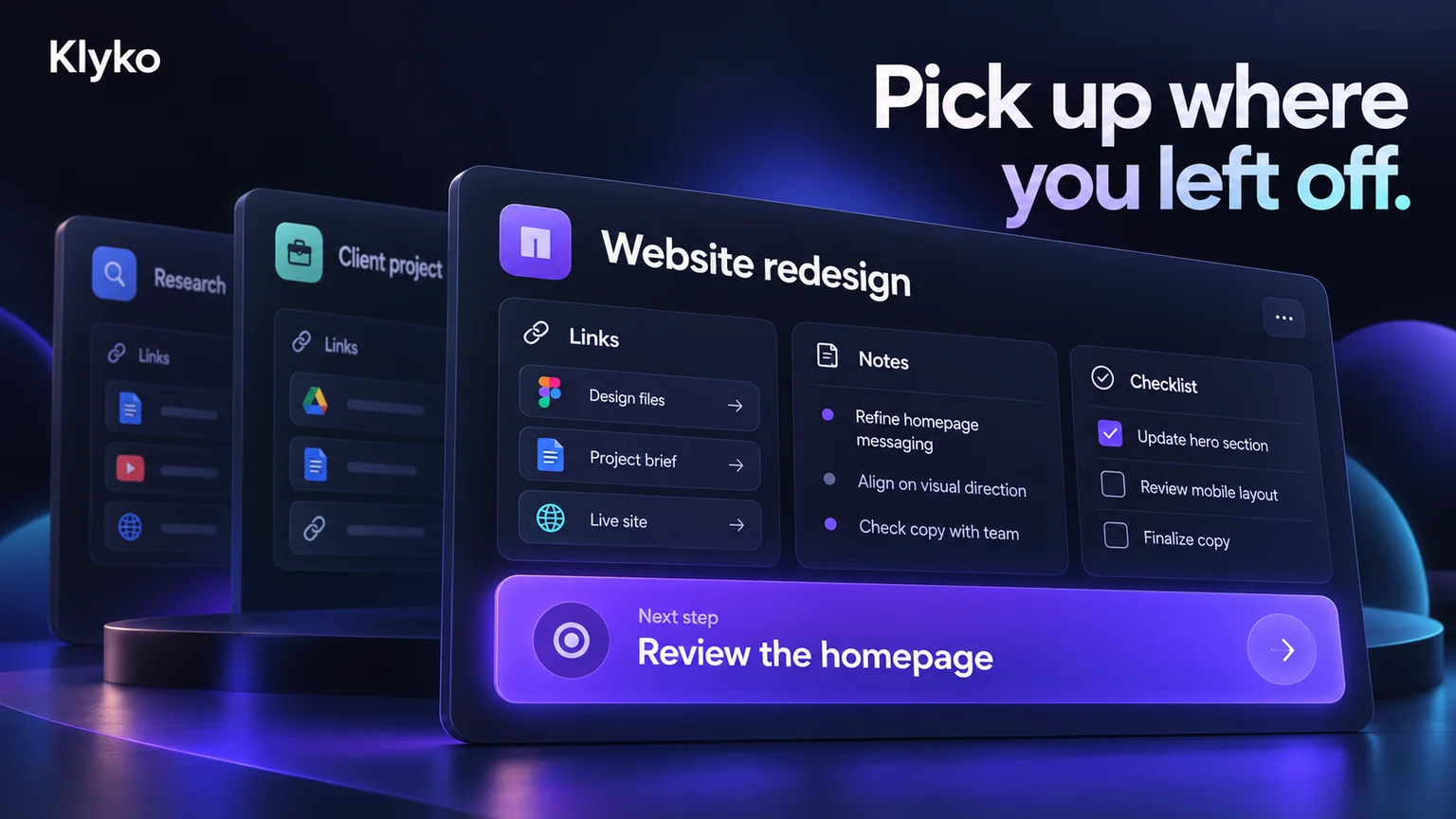
This is the idea behind Klyko: instead of scattering a project's context across open tabs, a notes app, and your memory, you keep it as one workspace — links, notes, checklists, files, apps, and a next step, all attached to the project they belong to. When you're ready to switch back, you open the workspace and everything you need is right there, instead of being reconstructed by memory.
It doesn't make the work itself faster. It just removes the 23-minute tax you pay every time you come back to it — which, if you're juggling more than one project, adds up to hours a week.
If you want to try it on your own workflow, Klyko is free to start and works entirely offline first — no account required to create your first workspace.
The takeaway
Context switching isn't really about willpower or discipline. It's a storage problem — the information you need to resume a task lives in too many places, or nowhere durable at all. Fix the storage problem, and the 23-minute tax mostly disappears on its own.
Save your work context. Reopen it anywhere. No account required to create your first board.
Try Klyko Free